Mobile software studio

Apps that make everyday things lighter.

Exalters Tech builds focused mobile apps. Each one has a clear job, and it's ready when you need it.

Selected work

01
Translator app icon

Android · Tools

Text, Photo & Voice Translator

Point your camera at a sign, a menu, or a document and read the translation right on top of it. You can also type, paste, or speak when a picture isn't the fastest way.

Get it on Google Play

Menu of the day

Tomato soup

Roast chicken with potatoes

Apple pie

Drag the lens over the menu to translate it.
  • 50+ languages
  • On-device text recognition
  • Offline language packs
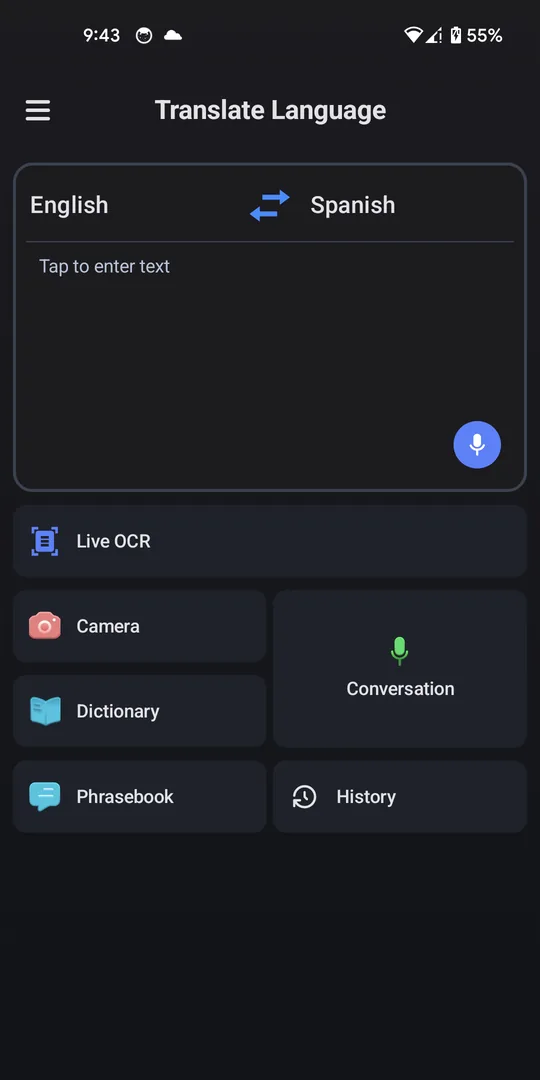
Home screen with a text box and shortcuts for Live OCR, camera, conversation, dictionary, phrasebook and history
Everything from one screen
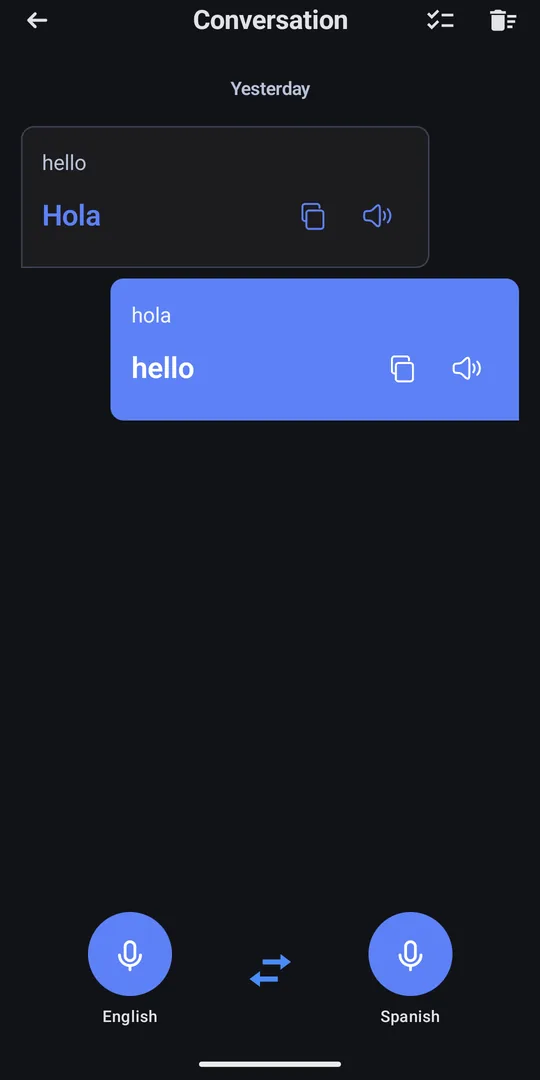
Conversation screen showing hello translated to Hola, with a microphone for each language
Two-way conversation
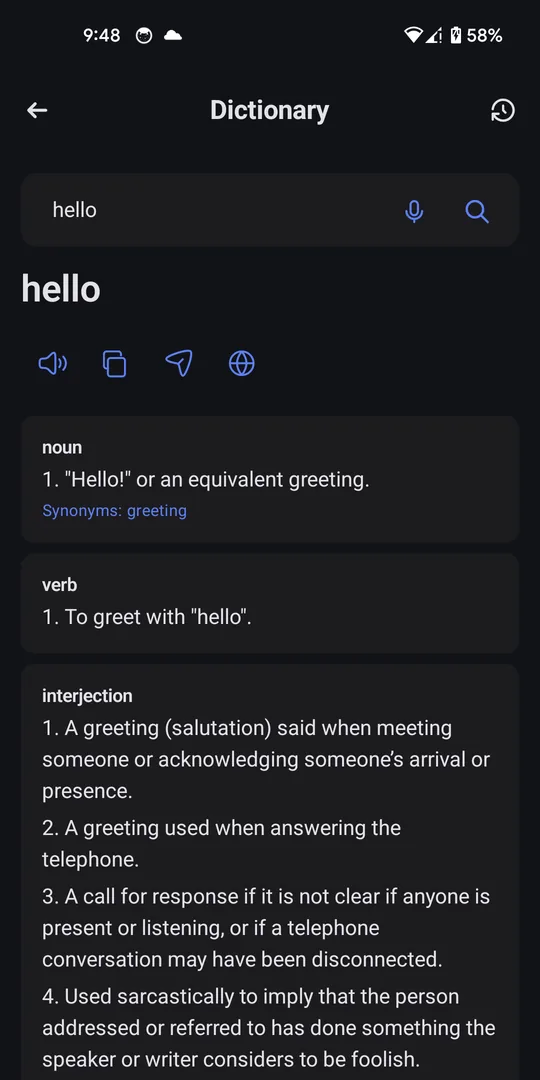
Dictionary entry for the word hello, grouped by noun, verb and interjection
Dictionary
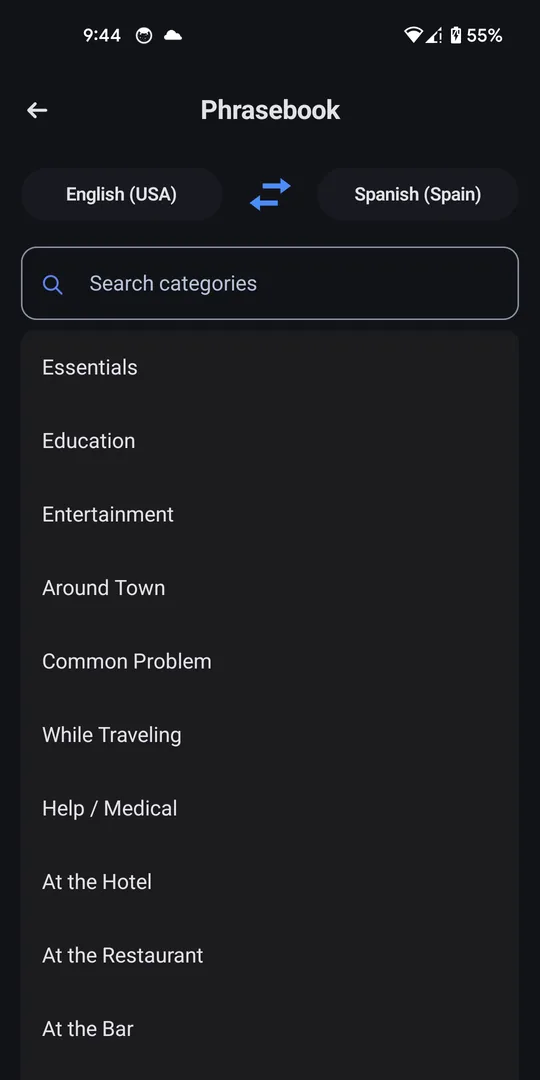
Phrasebook categories such as Essentials, While Traveling and At the Hotel
Phrasebook
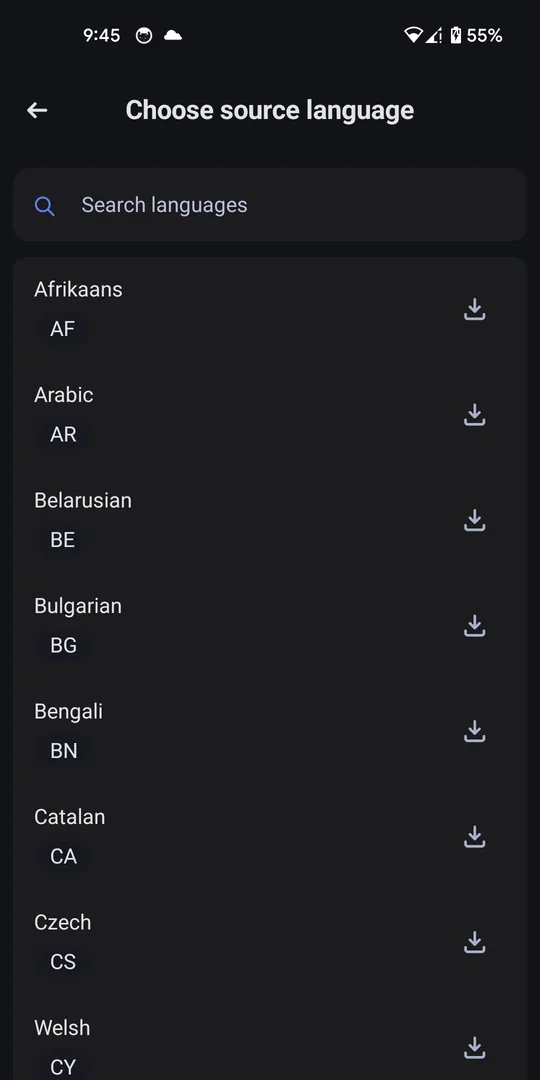
Language list with a download button beside each language
Downloadable languages
  1. Photo translation

    Take a photo or pick one from your gallery, then read the translation on the original layout.

  2. Live OCR

    Watch text update as you move the camera, without taking a photo first.

  3. Voice conversation

    Hold a two-way conversation and hear each side spoken back.

  4. Works offline

    Download language packs and keep translating when you have no signal.

How we build

  1. Start with the job.

    Someone is standing in front of a sign they can't read. Everything in the app has to help in that moment.

  2. Work where people are.

    Bad signal and busy streets are normal conditions, so we design for them from the start.

  3. Keep it simple to use.

    The main action comes first and there are as few steps as possible. Extras stay one level deeper.